

Why install Actual Budget with Web.Casa?
No manual Docker Compose needed. Web.Casa configures and starts everything.
Caddy auto-provisions SSL certificates. Reverse proxy works out of the box.
Monitoring, backups, updates, logs — manage all apps from one panel.
How to Install
Install Web.Casa first, then one-click install this app from the App Store.
Actual Budget
Actual is a local-first personal finance tool. It is 100% free and open-source, written in NodeJS, it has a synchronization element so that all your changes can move between devices without any heavy lifting.
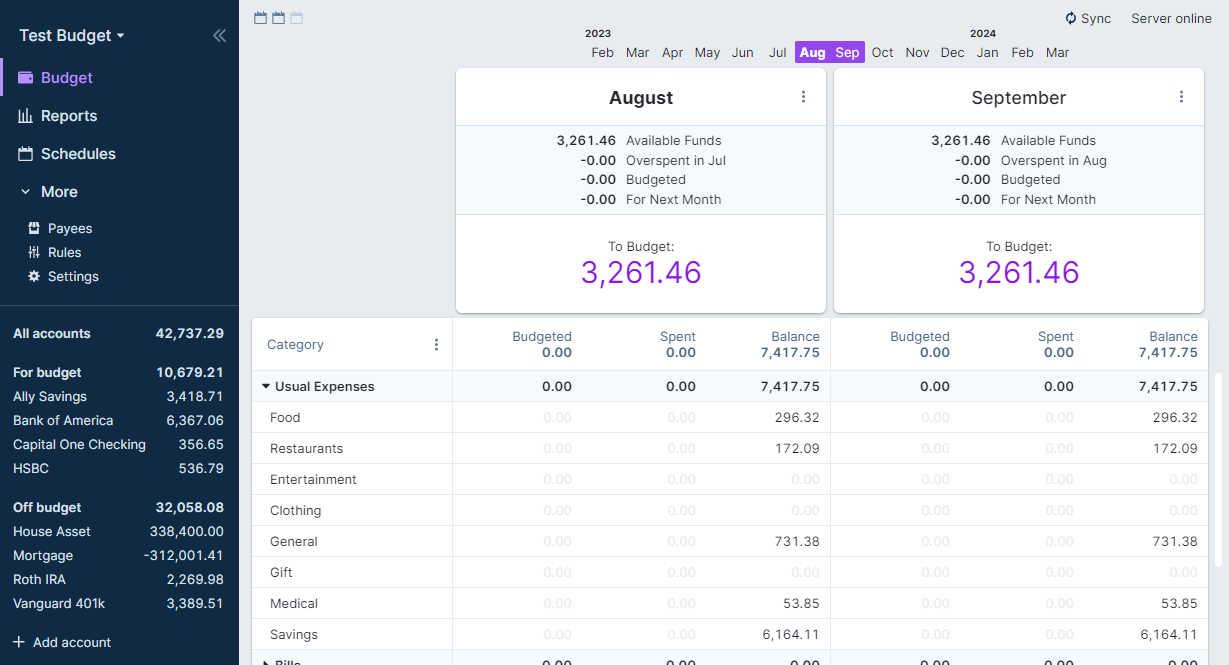
Server included
This version includes the server and web client of Actual Budget, so you can synch through different browsers and devices. Please note that you have to sync manually within the app. Actual is a local first app, so all data is held locally in your browser context by default as long as you not tell Actual to sync it to the server.
Community Documentation
More information: https://actualbudget.github.io/docs/
FAQ
Can I install Actual Budget on Web.Casa?
Yes, Actual Budget is available in the Web.Casa App Store. You can install it with one click from the Web.Casa panel — no need to manually write Docker Compose files or configure reverse proxies.
How do I install Actual Budget on Web.Casa?
First install Web.Casa with curl -fsSL https://get.web.casa | bash, then search for "Actual Budget" in the App Store and click install. Web.Casa automatically configures the Docker container, assigns ports, and sets up a Caddy reverse proxy.
What is the default port for Actual Budget on Web.Casa?
The default port for Actual Budget on Web.Casa is 8011. You can bind it to a custom domain through Web.Casa's Caddy reverse proxy, which automatically provisions HTTPS certificates.
Does Actual Budget get automatic HTTPS after installation?
Yes. Web.Casa is built on Caddy, so after installing the app, simply bind a domain and Caddy will automatically provision and renew SSL certificates via Let's Encrypt — no manual configuration needed.
How do I back up Actual Budget data?
Web.Casa has a built-in backup plugin that supports automatic backups of Actual Budget data to local storage, S3, WebDAV, or SFTP. You can configure scheduled snapshots and retention policies to keep your data safe.


