

Why install Wireguard with Web.Casa?
No manual Docker Compose needed. Web.Casa configures and starts everything.
Caddy auto-provisions SSL certificates. Reverse proxy works out of the box.
Monitoring, backups, updates, logs — manage all apps from one panel.
How to Install
Install Web.Casa first, then one-click install this app from the App Store.
Installation Guide
If you want to restrict WebUI access with a password (you should):
- Choose a password
- Use https://bcrypt-generator.com/ to hash your password
- Add an additional "dollar sign" ($) next to every existing one in your generated hash
Here is an example with runtipi as password :
| password | runtipi |
| hash (bcrypt) | $2a$12$MSBcCEGpDyGQJlZo0R/i2e7Fvu6PnxjIRoWGS7cfuKFtjiGzuUTBy |
| "cleaned" hash | $$2a$$12$$MSBcCEGpDyGQJlZo0R/i2e7Fvu6PnxjIRoWGS7cfuKFtjiGzuUTBy |
The easiest way to run WireGuard VPN + Web-based Admin UI.
You have found the easiest way to install & manage WireGuard on any Linux host!
- All-in-one: WireGuard + Web UI.
- Easy installation, simple to use.
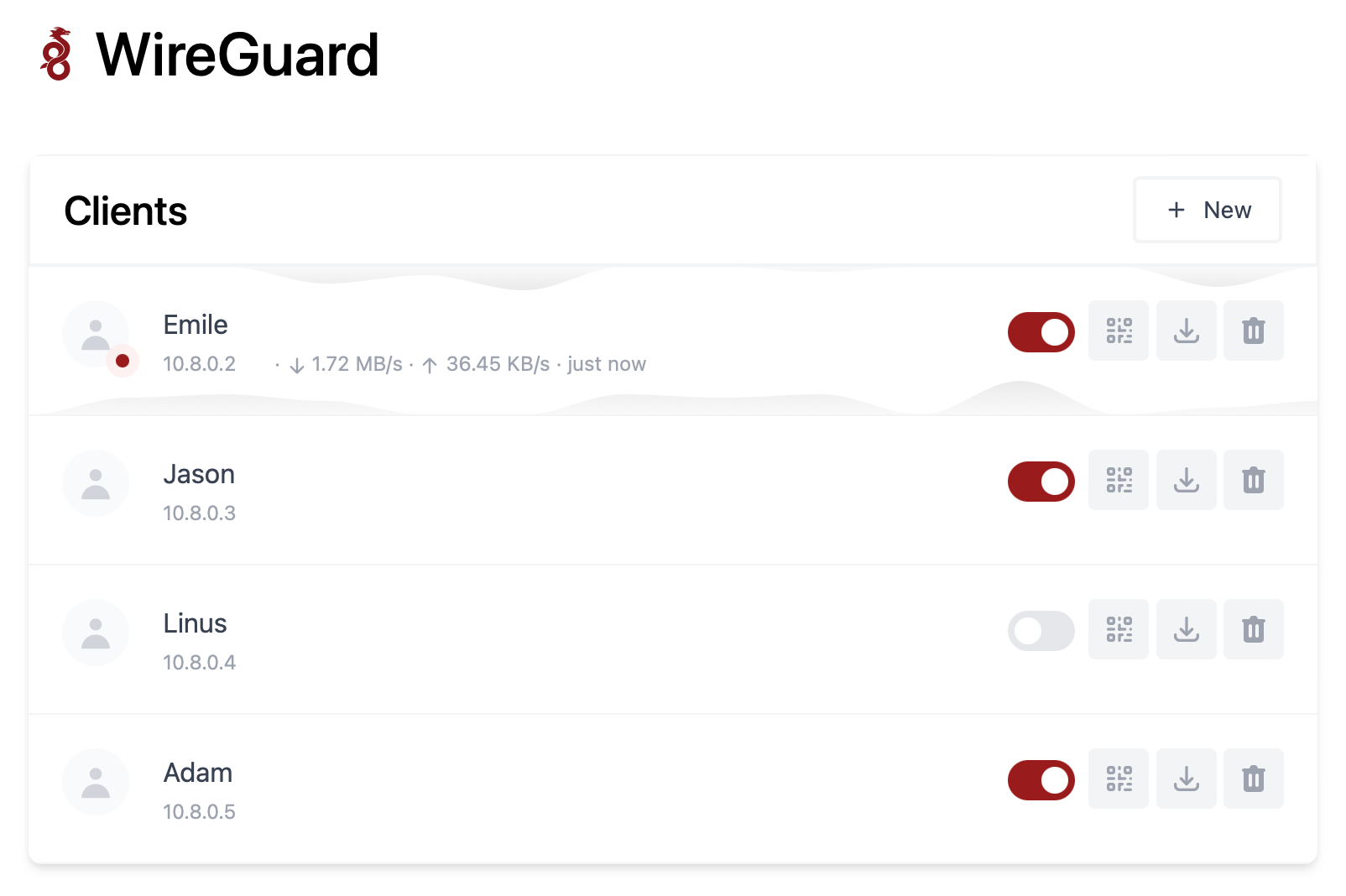
- List, create, edit, delete, enable & disable clients.
- Show a client's QR code.
- Download a client's configuration file.
- Statistics for which clients are connected.
- Tx/Rx charts for each connected client.
- Gravatar support.
FAQ
Can I install Wireguard on Web.Casa?
Yes, Wireguard is available in the Web.Casa App Store. You can install it with one click from the Web.Casa panel — no need to manually write Docker Compose files or configure reverse proxies.
How do I install Wireguard on Web.Casa?
First install Web.Casa with curl -fsSL https://get.web.casa | bash, then search for "Wireguard" in the App Store and click install. Web.Casa automatically configures the Docker container, assigns ports, and sets up a Caddy reverse proxy.
What is the default port for Wireguard on Web.Casa?
The default port for Wireguard on Web.Casa is 8082. You can bind it to a custom domain through Web.Casa's Caddy reverse proxy, which automatically provisions HTTPS certificates.
Does Wireguard get automatic HTTPS after installation?
Yes. Web.Casa is built on Caddy, so after installing the app, simply bind a domain and Caddy will automatically provision and renew SSL certificates via Let's Encrypt — no manual configuration needed.
How do I back up Wireguard data?
Web.Casa has a built-in backup plugin that supports automatic backups of Wireguard data to local storage, S3, WebDAV, or SFTP. You can configure scheduled snapshots and retention policies to keep your data safe.
Related Apps

Adguard
World's most advanced adblocker!

Adguard Home Sync
Synchronize AdGuard Home config to replicas

Cloudflare DDNS
Update DNS records on Cloudflare.

Duck DNS
Duck DNS is a free Dynamic DNS service

gandi-livedns
Update your Gandi DNS zone records with your WAN IP

LibreSpeed
No Flash, No Java, No Websocket, No Garbage