

Why install Trilium with Web.Casa?
No manual Docker Compose needed. Web.Casa configures and starts everything.
Caddy auto-provisions SSL certificates. Reverse proxy works out of the box.
Monitoring, backups, updates, logs — manage all apps from one panel.
How to Install
Install Web.Casa first, then one-click install this app from the App Store.
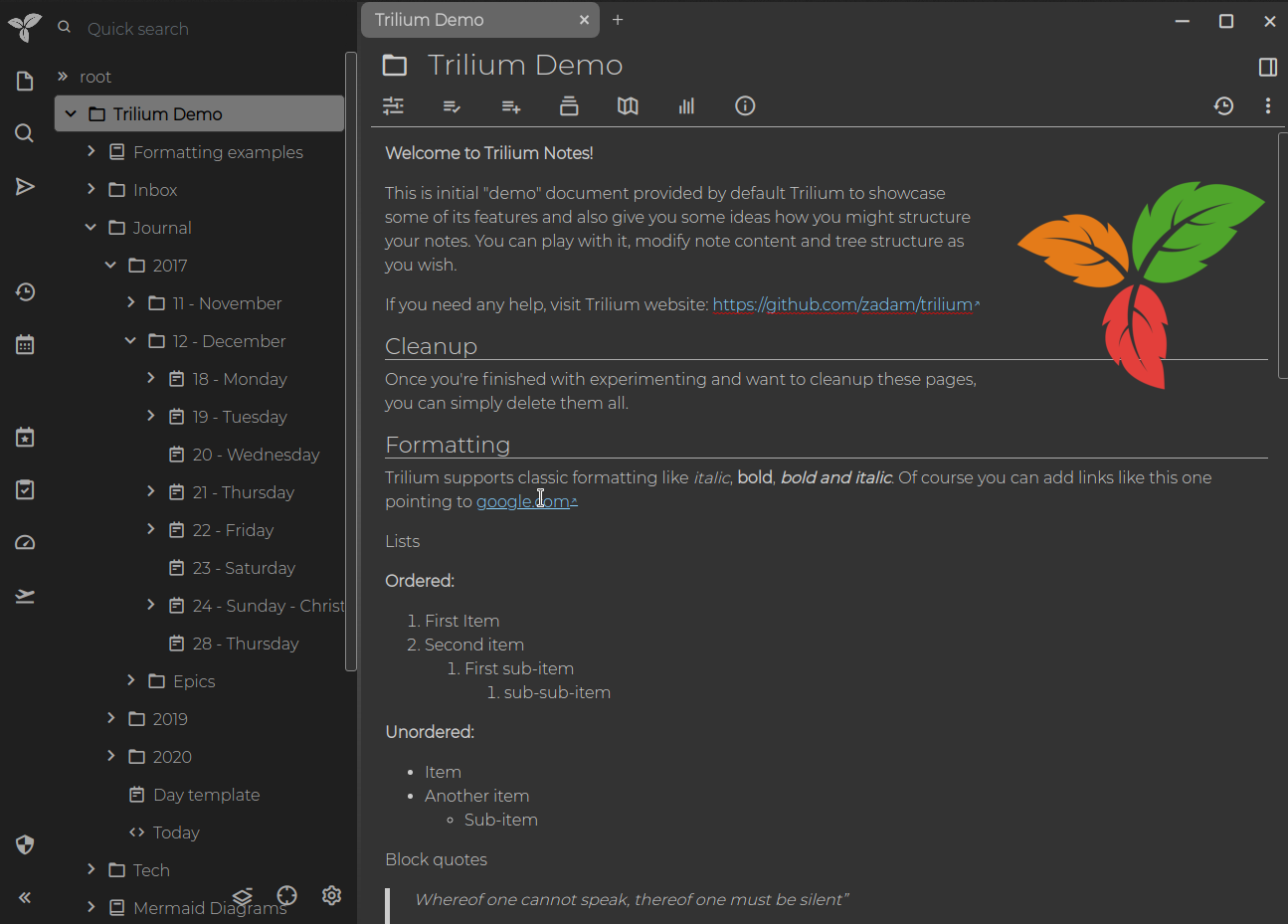
Trilium Notes is a hierarchical note taking application with focus on building large personal knowledge bases. See screenshots for quick overview:
🎁 Features
- Notes can be arranged into arbitrarily deep tree. Single note can be placed into multiple places in the tree (see cloning)
- Rich WYSIWYG note editing including e.g. tables, images and math with markdown autoformat
- Support for editing notes with source code, including syntax highlighting
- Fast and easy navigation between notes, full text search and note hoisting
- Seamless note versioning
- Note attributes can be used for note organization, querying and advanced scripting
- Synchronization with self-hosted sync server
- Sharing (publishing) notes to public internet
- Strong note encryption with per-note granularity
- Sketching diagrams with built-in Excalidraw (note type "canvas")
- Relation maps and link maps for visualizing notes and their relations
- Scripting - see Advanced showcases
- REST API for automation
- Scales well in both usability and performance upwards of 100 000 notes
- Touch optimized mobile frontend for smartphones and tablets
- Night theme
- Evernote and Markdown import & export
- Web Clipper for easy saving of web content
FAQ
Can I install Trilium on Web.Casa?
Yes, Trilium is available in the Web.Casa App Store. You can install it with one click from the Web.Casa panel — no need to manually write Docker Compose files or configure reverse proxies.
How do I install Trilium on Web.Casa?
First install Web.Casa with curl -fsSL https://get.web.casa | bash, then search for "Trilium" in the App Store and click install. Web.Casa automatically configures the Docker container, assigns ports, and sets up a Caddy reverse proxy.
What is the default port for Trilium on Web.Casa?
The default port for Trilium on Web.Casa is 8267. You can bind it to a custom domain through Web.Casa's Caddy reverse proxy, which automatically provisions HTTPS certificates.
Does Trilium get automatic HTTPS after installation?
Yes. Web.Casa is built on Caddy, so after installing the app, simply bind a domain and Caddy will automatically provision and renew SSL certificates via Let's Encrypt — no manual configuration needed.
How do I back up Trilium data?
Web.Casa has a built-in backup plugin that supports automatic backups of Trilium data to local storage, S3, WebDAV, or SFTP. You can configure scheduled snapshots and retention policies to keep your data safe.
Related Apps

Adguard Home Sync
Synchronize AdGuard Home config to replicas

AFFiNE
AFFiNE is a workspace with fully merged docs, whiteboards and databases.

Atuin Server
Magical Shell History

Baïkal
Calendar + Contacts server

Barrage
Minimal Deluge WebUI with full mobile support

Bazarr
A companion application to Sonarr and Radarr that manages and downloads subtitles