

Spoolman — One-Click Install
Keep track of your inventory of 3D-printer filament spools
Why install Spoolman with Web.Casa?
No manual Docker Compose needed. Web.Casa configures and starts everything.
Caddy auto-provisions SSL certificates. Reverse proxy works out of the box.
Monitoring, backups, updates, logs — manage all apps from one panel.
How to Install
Install Web.Casa first, then one-click install this app from the App Store.
Keep track of your inventory of 3D-printer filament spools.
Spoolman is a web service that helps you keep track of your filament spools and how they are being used.
It acts as a database, where other printer software such as Octoprint and Moonraker can interact with to have a centralized place for spool information. For example, if used together with Moonraker, your spool weight will automatically be reduced as your print is progressing.
It exposes a HTTP API which services can interact with. See the OpenAPI description for more information.
Client
Spoolman includes a web-client that lets you directly manipulate all the data. It also has a few additional nice features such as label printing.
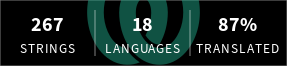
The web client is translated by the community using Weblate.
Integration status
Spoolman doesn't depend on any specific printer software, but to make the most out of it, you should use it together with a frontend that supports it. It is currently only supported in the Klipper ecosystem, with official support for the major frontends. Support for other ecosystems like Octoprint is ongoing.
- ✔️ Moonraker - See the Moonraker Documentation
- ✔️ Fluidd
- ✔️ KlipperScreen
- ✔️ Mainsail
- ✖️ Octoprint - A plugin is in progress: OctoPrint-Spoolman
- ✔️ Home Assistant integration (https://github.com/Disane87/spoolman-homeassistant)
FAQ
Can I install Spoolman on Web.Casa?
Yes, Spoolman is available in the Web.Casa App Store. You can install it with one click from the Web.Casa panel — no need to manually write Docker Compose files or configure reverse proxies.
How do I install Spoolman on Web.Casa?
First install Web.Casa with curl -fsSL https://get.web.casa | bash, then search for "Spoolman" in the App Store and click install. Web.Casa automatically configures the Docker container, assigns ports, and sets up a Caddy reverse proxy.
What is the default port for Spoolman on Web.Casa?
The default port for Spoolman on Web.Casa is 7912. You can bind it to a custom domain through Web.Casa's Caddy reverse proxy, which automatically provisions HTTPS certificates.
Does Spoolman get automatic HTTPS after installation?
Yes. Web.Casa is built on Caddy, so after installing the app, simply bind a domain and Caddy will automatically provision and renew SSL certificates via Let's Encrypt — no manual configuration needed.
How do I back up Spoolman data?
Web.Casa has a built-in backup plugin that supports automatic backups of Spoolman data to local storage, S3, WebDAV, or SFTP. You can configure scheduled snapshots and retention policies to keep your data safe.


