

Why install Seerr with Web.Casa?
No manual Docker Compose needed. Web.Casa configures and starts everything.
Caddy auto-provisions SSL certificates. Reverse proxy works out of the box.
Monitoring, backups, updates, logs — manage all apps from one panel.
How to Install
Install Web.Casa first, then one-click install this app from the App Store.

Seerr is a free and open source software application for managing requests for your media library. It integrates with the media server of your choice: Jellyfin, Plex, and Emby. In addition, it integrates with your existing services, such as Sonarr, Radarr.
Current Features
- Full Jellyfin/Emby/Plex integration including authentication with user import & management.
- Support for PostgreSQL and SQLite databases.
- Supports Movies, Shows and Mixed Libraries.
- Ability to change email addresses for SMTP purposes.
- Easy integration with your existing services. Currently, Seerr supports Sonarr and Radarr. More to come!
- Jellyfin/Emby/Plex library scan, to keep track of the titles which are already available.
- Customizable request system, which allows users to request individual seasons or movies in a friendly, easy-to-use interface.
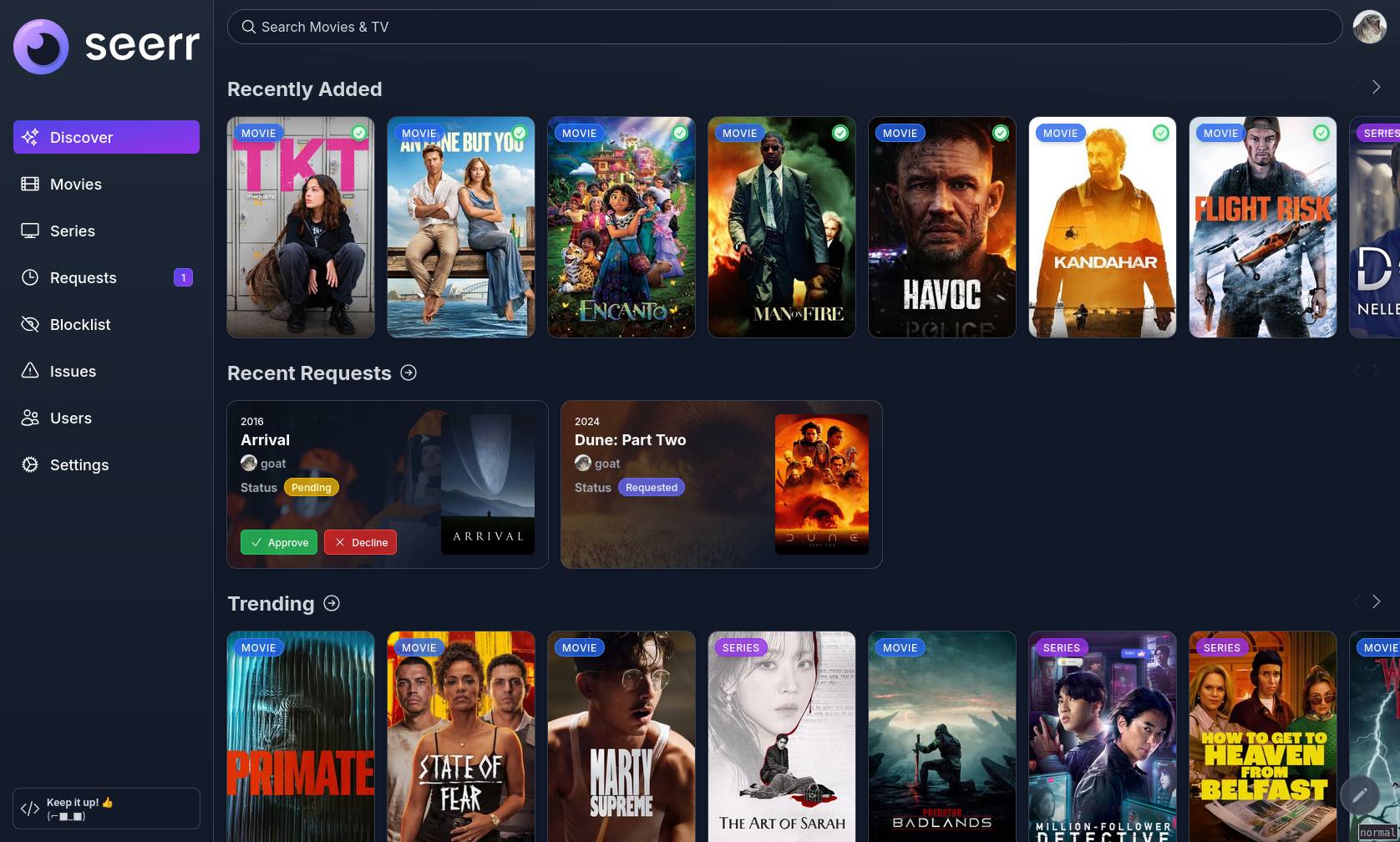
- Incredibly simple request management UI. Don't dig through the app to simply approve recent requests!
- Granular permission system.
- Support for various notification agents.
- Mobile-friendly design, for when you need to approve requests on the go!
- Support for watchlisting & blocklisting media.
With more features on the way! Check out our issue tracker to see the features which have already been requested.
Getting Started
Check out our documentation for instructions on how to install and run Seerr:
https://docs.seerr.dev/getting-started/
Preview
Migrating from Overseerr/Jellyseerr to Seerr
Read our release announcement to learn what Seerr means for Jellyseerr and Overseerr users.
Please follow our migration guide for detailed instructions on migrating from Overseerr or Jellyseerr.
Support
- Check out the Seerr Documentation before asking for help. Your question might already be in the docs!
- You can get support on Discord.
- You can ask questions in the Help category of our GitHub Discussions.
- Bug reports and feature requests can be submitted via GitHub Issues.
API Documentation
You can access the API documentation from your local Seerr install at http://localhost:5055/api-docs
Community
You can ask questions, share ideas, and more in GitHub Discussions.
If you would like to chat with other members of our growing community, join the Seerr Discord server!
Our Code of Conduct applies to all Seerr community channels.
Contributing
You can help improve Seerr too! Check out our Contribution Guide to get started.
Contributors ✨


FAQ
Can I install Seerr on Web.Casa?
Yes, Seerr is available in the Web.Casa App Store. You can install it with one click from the Web.Casa panel — no need to manually write Docker Compose files or configure reverse proxies.
How do I install Seerr on Web.Casa?
First install Web.Casa with curl -fsSL https://get.web.casa | bash, then search for "Seerr" in the App Store and click install. Web.Casa automatically configures the Docker container, assigns ports, and sets up a Caddy reverse proxy.
What is the default port for Seerr on Web.Casa?
The default port for Seerr on Web.Casa is 5055. You can bind it to a custom domain through Web.Casa's Caddy reverse proxy, which automatically provisions HTTPS certificates.
Does Seerr get automatic HTTPS after installation?
Yes. Web.Casa is built on Caddy, so after installing the app, simply bind a domain and Caddy will automatically provision and renew SSL certificates via Let's Encrypt — no manual configuration needed.
How do I back up Seerr data?
Web.Casa has a built-in backup plugin that supports automatic backups of Seerr data to local storage, S3, WebDAV, or SFTP. You can configure scheduled snapshots and retention policies to keep your data safe.
Related Apps

Adguard Home Sync
Synchronize AdGuard Home config to replicas

AFFiNE
AFFiNE is a workspace with fully merged docs, whiteboards and databases.

ArchiveBox
Open source self-hosted web archiving.

Atuin Server
Magical Shell History

Audiobookshelf
Audiobookshelf is a self-hosted audiobook and podcast server.

autobrr
Automation for downloads.