

Why install Paperless-ngx with Web.Casa?
No manual Docker Compose needed. Web.Casa configures and starts everything.
Caddy auto-provisions SSL certificates. Reverse proxy works out of the box.
Monitoring, backups, updates, logs — manage all apps from one panel.
How to Install
Install Web.Casa first, then one-click install this app from the App Store.
App Info
- Version
- 2.20.9
- Author
- Daniel Quinn, Jonas Winkler, and the Paperless-ngx team
- Default Port
- 8012
Paperless-ngx
Paperless-ngx is a document management system that transforms your physical documents into a searchable online archive so you can keep, well, less paper.
! IMPORTANT - PLEASE READ !
-
Please be patient during installation, it may take a few minutes to download and install all dependencies.
-
Please wait a few seconds after Tipi says that the installation was finished, because Paperless-ngx needs some time to start.
-
Tika is available in this App, however you need to decide if you want to use it or not. You may disable it because of performance reasons.
- Tika allows you to upload Office documents (MSOffice, LibreOffice, etc) and automatically creates PDF versions of these documents.
- If you disable Tika, you will not be able to upload these document types.
- See here for more Information about Tika: https://docs.paperless-ngx.com/configuration/#tika

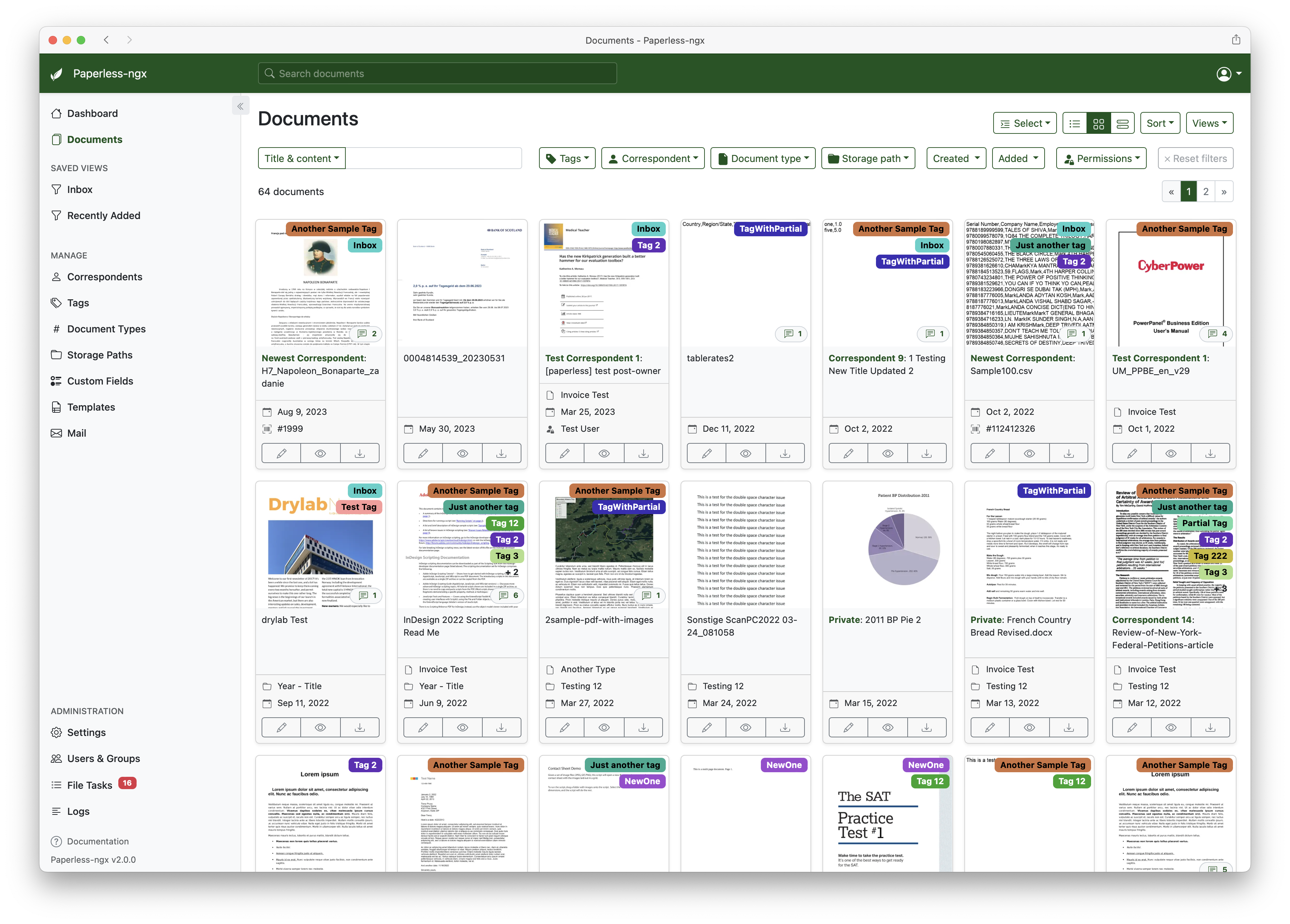
- Organize and index your scanned documents with tags, correspondents, types, and more.
- Performs OCR on your documents, adds selectable text to image only documents and adds tags, correspondents and document types to your documents.
- Supports PDF documents, images, plain text files, and Office documents (Word, Excel, Powerpoint, and LibreOffice equivalents).
- Office document support is optional and provided by Apache Tika (see configuration)
- Paperless stores your documents plain on disk. Filenames and folders are managed by paperless and their format can be configured freely.
- Single page application front end.
- Includes a dashboard that shows basic statistics and has document upload.
- Filtering by tags, correspondents, types, and more.
- Customizable views can be saved and displayed on the dashboard.
- Full text search helps you find what you need.
- Auto completion suggests relevant words from your documents.
- Results are sorted by relevance to your search query.
- Highlighting shows you which parts of the document matched the query.
- Searching for similar documents ("More like this")
- Email processing: Paperless adds documents from your email accounts.
- Configure multiple accounts and filters for each account.
- When adding documents from mail, paperless can move these mail to a new folder, mark them as read, flag them as important or delete them.
- Machine learning powered document matching.
- Paperless-ngx learns from your documents and will be able to automatically assign tags, correspondents and types to documents once you've stored a few documents in paperless.
- Optimized for multi core systems: Paperless-ngx consumes multiple documents in parallel.
- The integrated sanity checker makes sure that your document archive is in good health.
- More screenshots are available in the documentation.
FAQ
Can I install Paperless-ngx on Web.Casa?
Yes, Paperless-ngx is available in the Web.Casa App Store. You can install it with one click from the Web.Casa panel — no need to manually write Docker Compose files or configure reverse proxies.
How do I install Paperless-ngx on Web.Casa?
First install Web.Casa with curl -fsSL https://get.web.casa | bash, then search for "Paperless-ngx" in the App Store and click install. Web.Casa automatically configures the Docker container, assigns ports, and sets up a Caddy reverse proxy.
What is the default port for Paperless-ngx on Web.Casa?
The default port for Paperless-ngx on Web.Casa is 8012. You can bind it to a custom domain through Web.Casa's Caddy reverse proxy, which automatically provisions HTTPS certificates.
Does Paperless-ngx get automatic HTTPS after installation?
Yes. Web.Casa is built on Caddy, so after installing the app, simply bind a domain and Caddy will automatically provision and renew SSL certificates via Let's Encrypt — no manual configuration needed.
How do I back up Paperless-ngx data?
Web.Casa has a built-in backup plugin that supports automatic backups of Paperless-ngx data to local storage, S3, WebDAV, or SFTP. You can configure scheduled snapshots and retention policies to keep your data safe.
Related Apps

Adguard Home Sync
Synchronize AdGuard Home config to replicas

AFFiNE
AFFiNE is a workspace with fully merged docs, whiteboards and databases.

Atuin Server
Magical Shell History

Baïkal
Calendar + Contacts server

Barrage
Minimal Deluge WebUI with full mobile support

Bazarr
A companion application to Sonarr and Radarr that manages and downloads subtitles