

Why install n8n v2 with Web.Casa?
No manual Docker Compose needed. Web.Casa configures and starts everything.
Caddy auto-provisions SSL certificates. Reverse proxy works out of the box.
Monitoring, backups, updates, logs — manage all apps from one panel.
How to Install
Install Web.Casa first, then one-click install this app from the App Store.
Installation Notes
To enable OAUTH integrations you will need to enable the "expose app" option and configure a URL in Tipi. This setting can be changed at a later date if an integration is identified that needs it.
Easily automate tasks across different services.
n8n is an extendable workflow automation tool. With a fair-code distribution model, n8n will always have visible source code, be available to self-host, and allow you to add your own custom functions, logic and apps. n8n's node-based approach makes it highly versatile, enabling you to connect anything to everything.
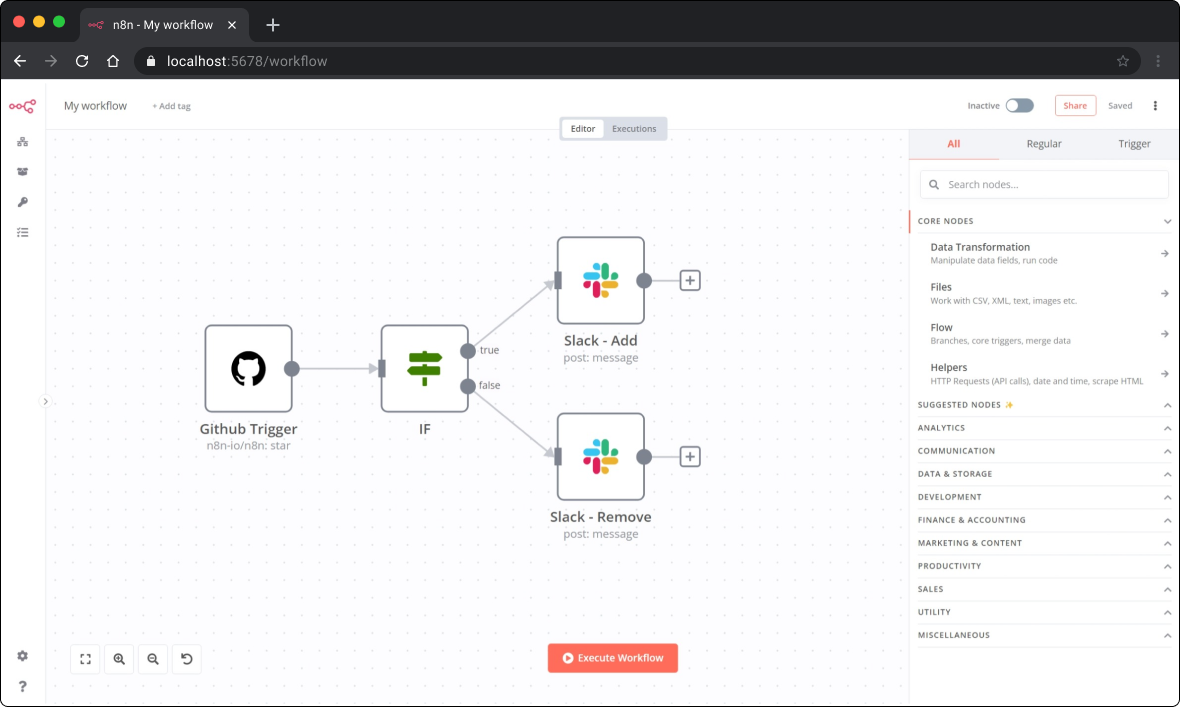
Build with LangChain and AI in n8n
With n8n's LangChain nodes you can build AI-powered functionality within your workflows. The LangChain nodes are configurable, meaning you can choose your preferred agent, LLM, memory, and so on. Alongside the LangChain nodes, you can connect any n8n node as normal: this means you can integrate your LangChain logic with other data sources and services.
Available integrations
n8n has 200+ different nodes to automate workflows. The list can be found on: https://n8n.io/integrations
FAQ
Can I install n8n v2 on Web.Casa?
Yes, n8n v2 is available in the Web.Casa App Store. You can install it with one click from the Web.Casa panel — no need to manually write Docker Compose files or configure reverse proxies.
How do I install n8n v2 on Web.Casa?
First install Web.Casa with curl -fsSL https://get.web.casa | bash, then search for "n8n v2" in the App Store and click install. Web.Casa automatically configures the Docker container, assigns ports, and sets up a Caddy reverse proxy.
What is the default port for n8n v2 on Web.Casa?
The default port for n8n v2 on Web.Casa is 5678. You can bind it to a custom domain through Web.Casa's Caddy reverse proxy, which automatically provisions HTTPS certificates.
Does n8n v2 get automatic HTTPS after installation?
Yes. Web.Casa is built on Caddy, so after installing the app, simply bind a domain and Caddy will automatically provision and renew SSL certificates via Let's Encrypt — no manual configuration needed.
How do I back up n8n v2 data?
Web.Casa has a built-in backup plugin that supports automatic backups of n8n v2 data to local storage, S3, WebDAV, or SFTP. You can configure scheduled snapshots and retention policies to keep your data safe.
Related Apps

Activepieces
True zapier alternative.

Eclipse Mosquitto
The MQTT protocol provides a lightweight method of carrying out messaging using a publish/subscribe model.

EMQX Open Source
Scalable open-source MQTT broker.

ESP Home
Control your ESP8266/ESP32.

Flowise AI
Build LLM Apps Easily

Gladys Assistant
A privacy-first, open-source home assistant