

Movary — One-Click Install
Movary is a self-hosted web application to track and rate your watched movies.
Why install Movary with Web.Casa?
No manual Docker Compose needed. Web.Casa configures and starts everything.
Caddy auto-provisions SSL certificates. Reverse proxy works out of the box.
Monitoring, backups, updates, logs — manage all apps from one panel.
How to Install
Install Web.Casa first, then one-click install this app from the App Store.

Movary
The central hub to track, rate and explore your movie watch history





Website • Installation • Docs • Api • Demo
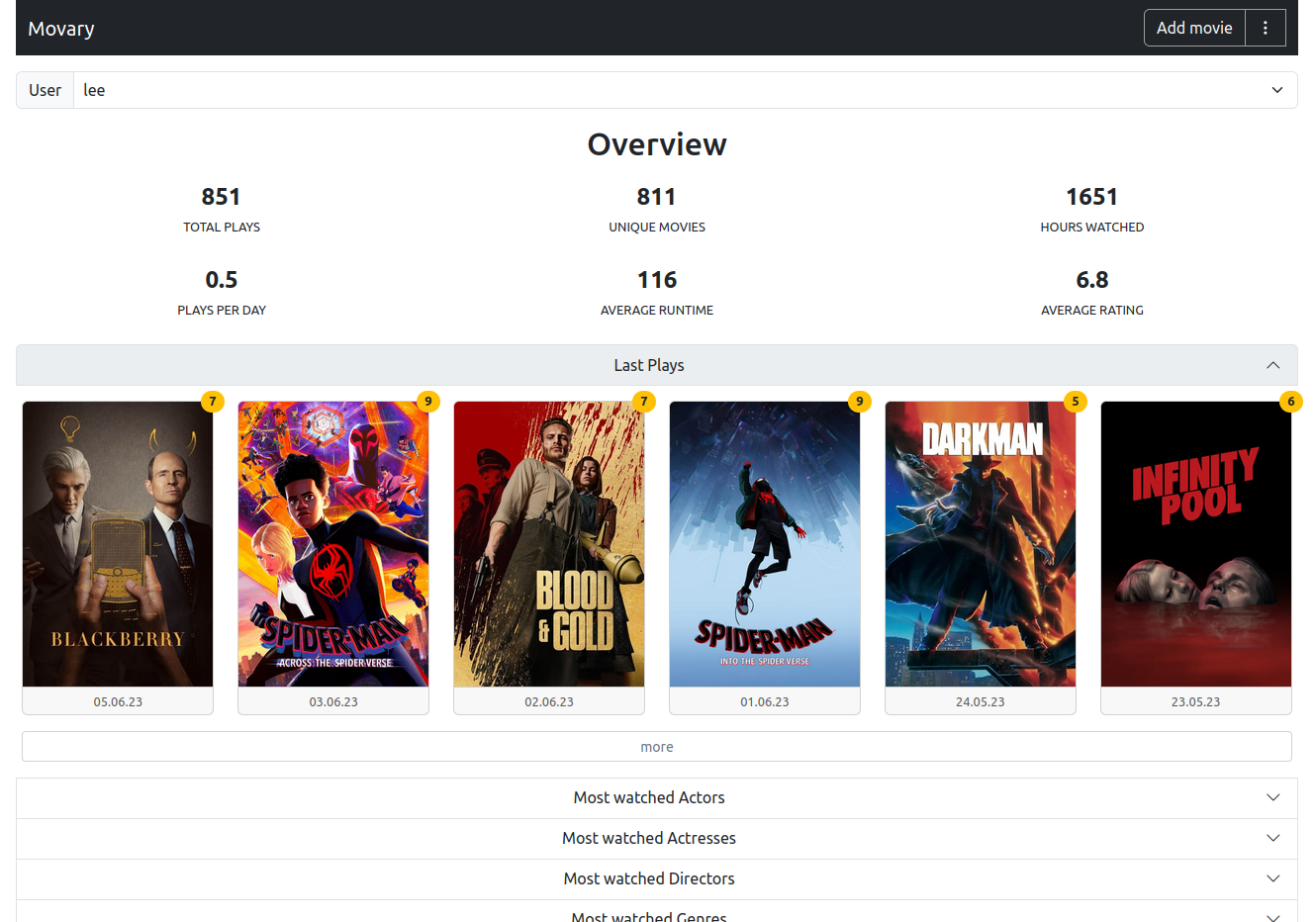
Movary is a free and open source web application to track, rate and explore your movie watch history. You can host it for yourself and others. It offers detailed statistics, third-party integrations for importing and exporting your history from platforms like Trakt, Letterboxd, or Netflix, automated play tracking for Plex, Jellyfin or Emby and much more.
Disclaimer: This project is still in an experimental (but usable) state. There are plans to add more and improve existing features before creating the 1.0 Release, which can lead to sudden breaking changes from time to time, so keep the release notes in mind when updating until then.
Features
- Movie watch history: Collect and manage your watch history and ratings
- Statistics: Analyze your movie watching behavior and history, like e.g. most watched actors/directors/genres/languages/years
- Customization: You decide how your dashboard should look like, what format to use when displaying dates and more
- Third party integrations: Import and export your history and ratings from/to platforms like Trakt, Letterboxd, or Netflix
- Scrobbler: Automatically add new plays and ratings from Plex, Jellyfin or Emby
- Own your personal data: Users can decide who can see their data and export/import/delete the data and their accounts at any time
- Locally stored metadata: Using e.g. themoviedb.org and imdb as sources, all metadata movary uses for your history entries can be stored locally
- PWA: Can be installed as a smartphone app (How to install PWAs in chrome)
- User-management: Use Movary alone or with others
- Completely free, no ads, no tracking and open source! :)
Demo
A demo installation can be found here (User: [email protected] Password:testUser).
Documentation
The documentation for the latest release is located here. Please report missing or wrong information.
Support
- Please report bugs and request features/changes via Github issues
- Ask for help or discuss related topics via Github discussions
- Join our Discord server
Contributors
- @leepeuker as Lee Peuker
- @JVT038 as JVT038
- @pbogre as Pietro Bonaldo Gregori
FAQ
Can I install Movary on Web.Casa?
Yes, Movary is available in the Web.Casa App Store. You can install it with one click from the Web.Casa panel — no need to manually write Docker Compose files or configure reverse proxies.
How do I install Movary on Web.Casa?
First install Web.Casa with curl -fsSL https://get.web.casa | bash, then search for "Movary" in the App Store and click install. Web.Casa automatically configures the Docker container, assigns ports, and sets up a Caddy reverse proxy.
What is the default port for Movary on Web.Casa?
The default port for Movary on Web.Casa is 8155. You can bind it to a custom domain through Web.Casa's Caddy reverse proxy, which automatically provisions HTTPS certificates.
Does Movary get automatic HTTPS after installation?
Yes. Web.Casa is built on Caddy, so after installing the app, simply bind a domain and Caddy will automatically provision and renew SSL certificates via Let's Encrypt — no manual configuration needed.
How do I back up Movary data?
Web.Casa has a built-in backup plugin that supports automatic backups of Movary data to local storage, S3, WebDAV, or SFTP. You can configure scheduled snapshots and retention policies to keep your data safe.
Related Apps

ArchiveBox
Open source self-hosted web archiving.

Audiobookshelf
Audiobookshelf is a self-hosted audiobook and podcast server.

autobrr
Automation for downloads.

Bazarr
A companion application to Sonarr and Radarr that manages and downloads subtitles

Bitmagnet
A self-hosted BitTorrent indexer.

Booksonic
The selfhosted audiobook server