

Why install Gramps Web with Web.Casa?
No manual Docker Compose needed. Web.Casa configures and starts everything.
Caddy auto-provisions SSL certificates. Reverse proxy works out of the box.
Monitoring, backups, updates, logs — manage all apps from one panel.
How to Install
Install Web.Casa first, then one-click install this app from the App Store.
Gramps Web – Frontend
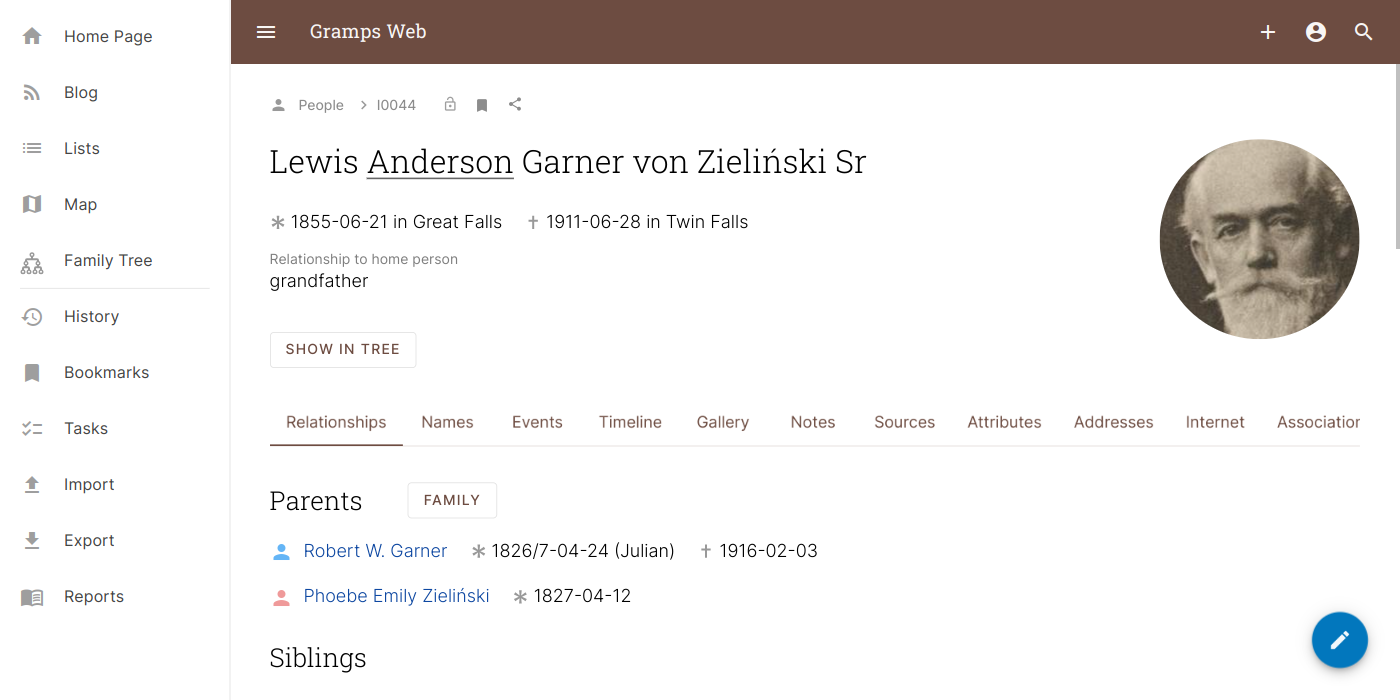
This is the repository for the frontend of Gramps Web, a modern web app that allows to browse and collaboratively edit a genealogical database, based on and interoperable with the Gramps desktop application.
Gramps Web is composed of three building blocks: at its core, the Gramps Python library that also powers the desktop application, secondly Gramps Web API, a Python REST API server that makes a Gramps database accessible over the web, and finally the Javascript web interface, or frontend, that is developed in this repository.
Screenshot
Demo
A demo deployment based on the Gramps example family tree is available at Demo. Use owner, editor, contributor, or member as username and the same as password.
Documentation
- The user documentation for Gramps Web can be found at Gramps Web Homepage
- The developer documentation for the frontend can be found at Gramps Web Developer Documentation To report issues or provide feedback, visit Gramps Web Help
FAQ
Can I install Gramps Web on Web.Casa?
Yes, Gramps Web is available in the Web.Casa App Store. You can install it with one click from the Web.Casa panel — no need to manually write Docker Compose files or configure reverse proxies.
How do I install Gramps Web on Web.Casa?
First install Web.Casa with curl -fsSL https://get.web.casa | bash, then search for "Gramps Web" in the App Store and click install. Web.Casa automatically configures the Docker container, assigns ports, and sets up a Caddy reverse proxy.
What is the default port for Gramps Web on Web.Casa?
The default port for Gramps Web on Web.Casa is 5000. You can bind it to a custom domain through Web.Casa's Caddy reverse proxy, which automatically provisions HTTPS certificates.
Does Gramps Web get automatic HTTPS after installation?
Yes. Web.Casa is built on Caddy, so after installing the app, simply bind a domain and Caddy will automatically provision and renew SSL certificates via Let's Encrypt — no manual configuration needed.
How do I back up Gramps Web data?
Web.Casa has a built-in backup plugin that supports automatic backups of Gramps Web data to local storage, S3, WebDAV, or SFTP. You can configure scheduled snapshots and retention policies to keep your data safe.
Related Apps

Baïkal
Calendar + Contacts server

bewCloud
The Simple Web Cloud Solution.

Bookstack
BookStack is a self-hosted platform for organising and storing information.

Cal.com
Scheduling infrastructure for absolutely everyone.

Docmost
An open-source collaborative wiki and documentation software

Duplicati
Store securely encrypted backups in the cloud!