

Why install CTFd with Web.Casa?
No manual Docker Compose needed. Web.Casa configures and starts everything.
Caddy auto-provisions SSL certificates. Reverse proxy works out of the box.
Monitoring, backups, updates, logs — manage all apps from one panel.
How to Install
Install Web.Casa first, then one-click install this app from the App Store.

What is CTFd?
CTFd is a Capture The Flag framework focusing on ease of use and customizability. It comes with everything you need to run a CTF and it's easy to customize with plugins and themes.
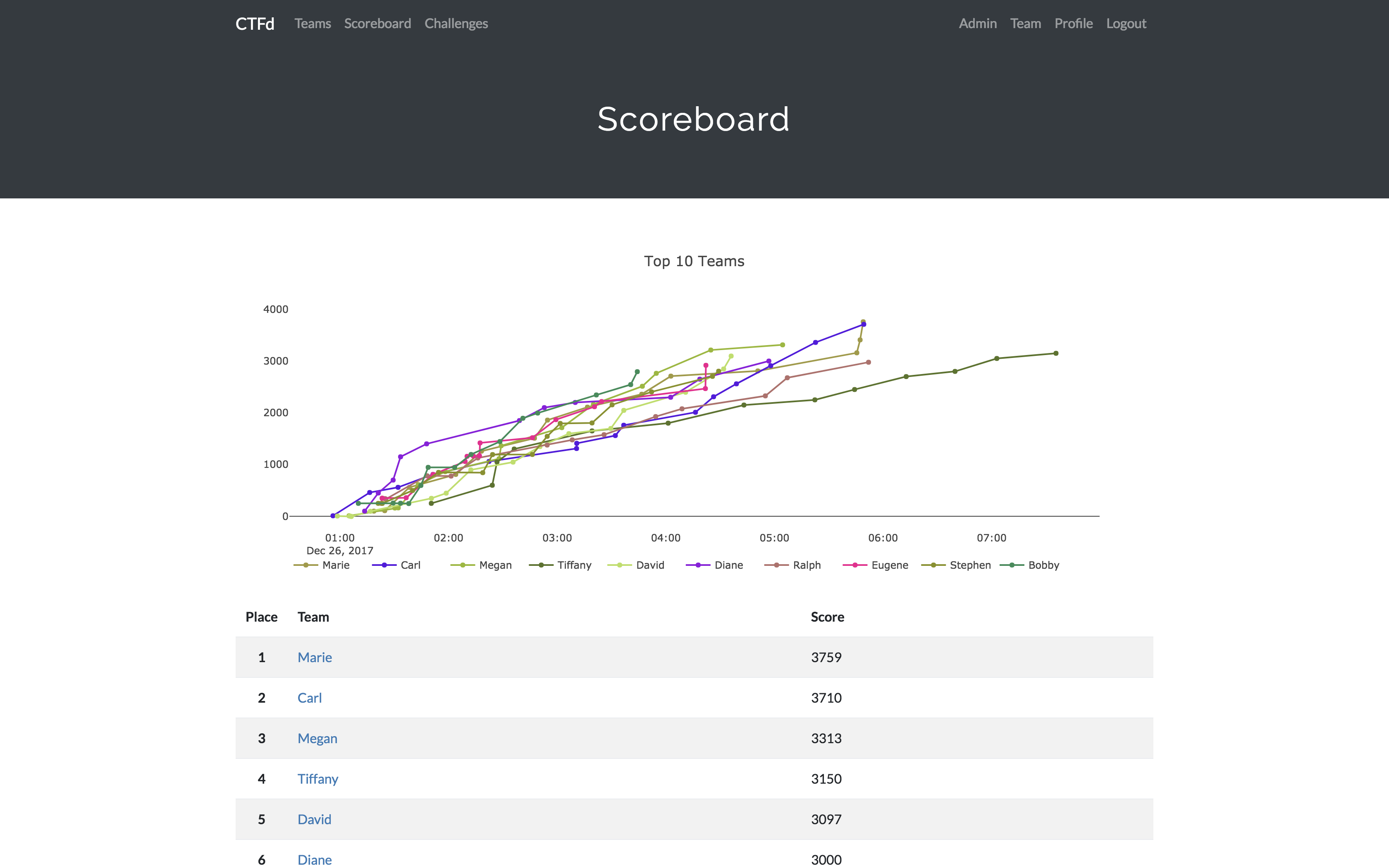
Features
- Create your own challenges, categories, hints, and flags from the Admin Interface
- Dynamic Scoring Challenges
- Unlockable challenge support
- Challenge plugin architecture to create your own custom challenges
- Static & Regex based flags
- Custom flag plugins
- Unlockable hints
- File uploads to the server or an Amazon S3-compatible backend
- Limit challenge attempts & hide challenges
- Automatic bruteforce protection
- Individual and Team based competitions
- Have users play on their own or form teams to play together
- Scoreboard with automatic tie resolution
- Hide Scores from the public
- Freeze Scores at a specific time
- Scoregraphs comparing the top 10 teams and team progress graphs
- Markdown content management system
- SMTP + Mailgun email support
- Email confirmation support
- Forgot password support
- Automatic competition starting and ending
- Team management, hiding, and banning
- Customize everything using the plugin and theme interfaces
- Importing and Exporting of CTF data for archival
- And a lot more...
FAQ
Can I install CTFd on Web.Casa?
Yes, CTFd is available in the Web.Casa App Store. You can install it with one click from the Web.Casa panel — no need to manually write Docker Compose files or configure reverse proxies.
How do I install CTFd on Web.Casa?
First install Web.Casa with curl -fsSL https://get.web.casa | bash, then search for "CTFd" in the App Store and click install. Web.Casa automatically configures the Docker container, assigns ports, and sets up a Caddy reverse proxy.
What is the default port for CTFd on Web.Casa?
The default port for CTFd on Web.Casa is 8546. You can bind it to a custom domain through Web.Casa's Caddy reverse proxy, which automatically provisions HTTPS certificates.
Does CTFd get automatic HTTPS after installation?
Yes. Web.Casa is built on Caddy, so after installing the app, simply bind a domain and Caddy will automatically provision and renew SSL certificates via Let's Encrypt — no manual configuration needed.
How do I back up CTFd data?
Web.Casa has a built-in backup plugin that supports automatic backups of CTFd data to local storage, S3, WebDAV, or SFTP. You can configure scheduled snapshots and retention policies to keep your data safe.
Related Apps

Adguard Home Sync
Synchronize AdGuard Home config to replicas

AFFiNE
AFFiNE is a workspace with fully merged docs, whiteboards and databases.

Atuin Server
Magical Shell History

Baïkal
Calendar + Contacts server

Barrage
Minimal Deluge WebUI with full mobile support

Bazarr
A companion application to Sonarr and Radarr that manages and downloads subtitles